
Block & Allow Sites is an eero Plus feature that allows you to manually block or allow specific websites and domains. These settings can be applied to your entire network or to individual Profiles.
Note: Content Filters block broad categories of websites, while Block & Allow Sites provides more granular control over individual websites and domains.
You have two options when configuring Block & Allow Sites settings: You can apply the settings to your entire network or customize them for a specific profile.
For your entire network
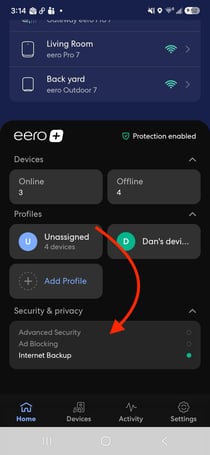
- On the eero App Home tab, tap Security & privacy to see a list of eero Plus features
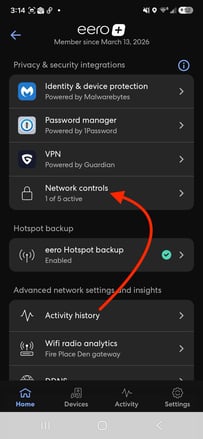
- Tap Network controls
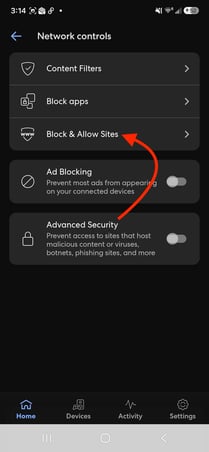
- Tap Block & Allow Sites
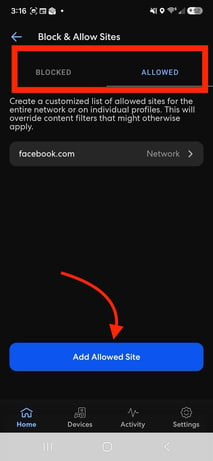
- Tap Add Blocked Site to add a blocked domain, or switch to Allowed, and tap Add Allowed Site to add an allowed domain
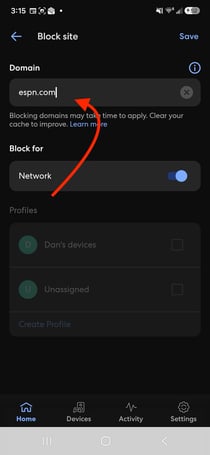
- Type in the desired site or domain under Domain
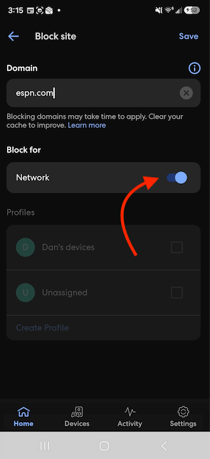
- Tap the Network toggle button so the domain is blocked/allowed on your entire eero network
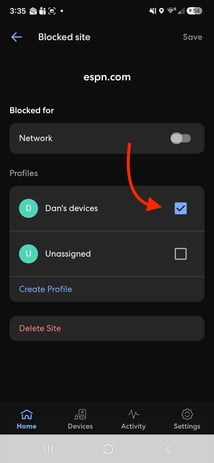
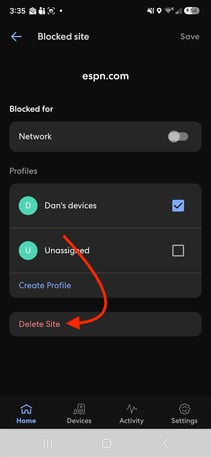
- To block a site for a specific Profile, turn the Network toggle off, then select the desired Profile from the list below.
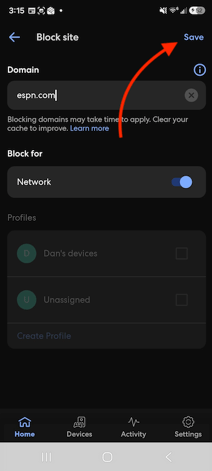
- Once you’re ready, tap Save
- To remove an allowed or blocked domain, select the desired domain, tap Delete Site, and then save your changes.
How Do Domains Work in Block & Allow Sites?
Domains are entered using their Fully Qualified Domain Name (FQDN). You can block or allow domains at different levels of the hierarchy.
Note: Allowed Sites always take priority over Content Filters and Blocked Sites.
Examples
- example.com — Applies to the entire domain.
- subdomain.example.com — Applies only to that specific subdomain.
- org — Applies to all .org domains.
Common Mistakes
- www.example.com → Use example.com instead.
- https://example.com → Use example.com instead.
- example.com/page → Use example.com instead.
- *.org → Use org instead.
FAQ
What is an alias (CNAME)?
Some websites use aliases, known as CNAMEs. When adding a site to your Allowed list, eero may prompt you to add associated CNAMEs to ensure the website functions correctly.
Why do changes take time to apply?
Changes usually take effect within seconds, but cached data stored by your browser, device, or network can cause delays. Clearing your browser cache may help.
Why isn't a site fully blocked?
Many websites use multiple domains. You may need to block additional domains to fully restrict access, and behavior can vary between devices.