
You can view or change your network password at any time using the eero app. Follow the steps below to access your WiFi settings and update your password if needed.
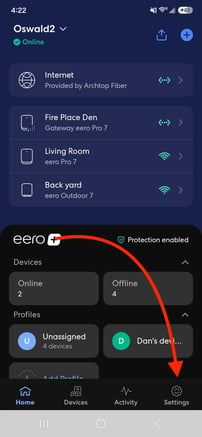
- Open the eero App, and tap Settings in the bottom-right corner.
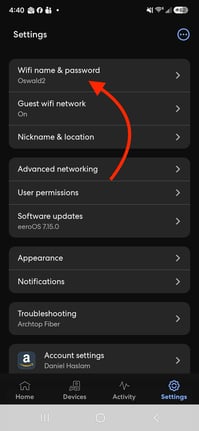
- Tap Wifi name & password.
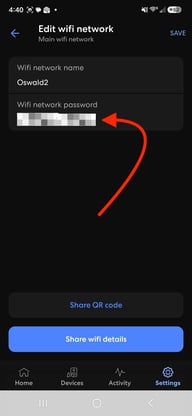
- If you would like to change your password, tap the Wifi network password field to begin editing.
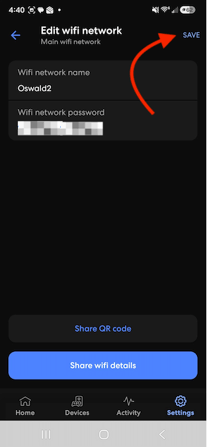
- Tap Save in the top-right corner when you’re done.
Note: Changing your wifi password will require you to manually reconnect your wireless devices using the new password.