
You can view or change your network name at any time using the eero app. Follow the steps below to access your WiFi settings and update your network name (SSID) if needed.
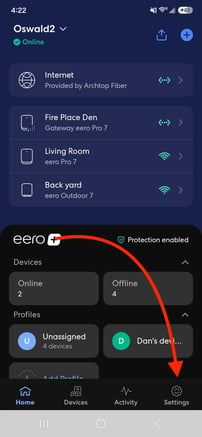
- Open the eero App, and tap Settings in the bottom-right corner.
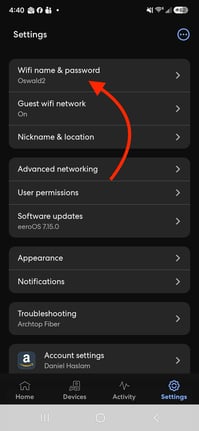
- Tap Wifi name & password.
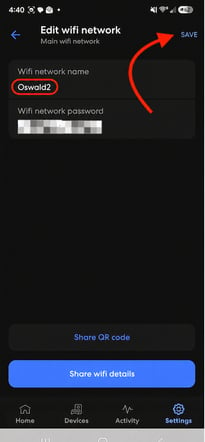
- If you would like to change your network name, tap the WiFi Network Name field and enter your new network name. Then, tap Save to apply the changes.
Note: Changing your wifi name (SSID) will require you to manually reconnect your wireless devices.