If you're experiencing latency while gaming, lag during video calls, or slow performance when multiple devices are active, enabling Smart Queue Management (SQM) may help improve your network experience.
SQM intelligently manages how network traffic is prioritized, helping reduce latency and bufferbloat by ensuring bandwidth is shared more efficiently across connected devices. This feature is especially beneficial for activities that require low latency, such as:
- Online gaming
- Video conferencing
- Voice calls
- Streaming while other devices are using the network
Note: While SQM helps improve responsiveness across your network, some devices may experience slightly slower download speeds while bandwidth is being balanced.
How to enable Smart Queue Management (SQM)
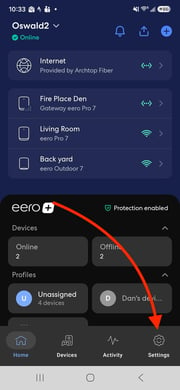
- Open the eero app. If you don't already have the app installed, please refer to our Where can I download the eero app article for more information.
- Tap Settings in the bottom-right corner.
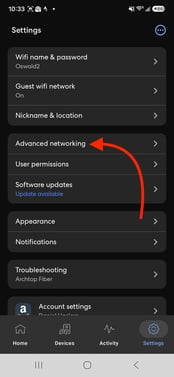
- Select Advanced networking.
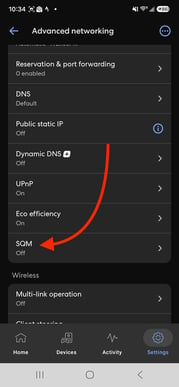
- Under Network services, tap Smart Queue Management (SQM).
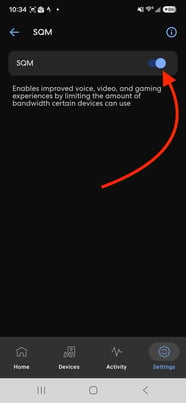
- Turn SQM on. The toggle will turn blue when enabled.