
Before we begin troubleshooting, the following information can help us identify the cause of the issue:
-
- What type of device are you using? (For example: phone, laptop, tablet, smart TV.) If possible, include the approximate age or model of the device.
- How close are you to your eero gateway or router? Let us know if there are any potential obstructions, such as brick walls, concrete, or several electronic devices between your device and the router.
- Are there other Wi-Fi networks nearby? Multiple wireless networks using the same channel or frequency can sometimes contribute to interference.
Run an eero Health Check
You can use the eero app to diagnose potential connection issues on your home network.
To run a Health Check:
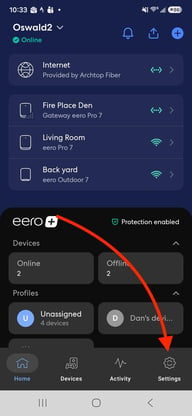
- Open the eero app.
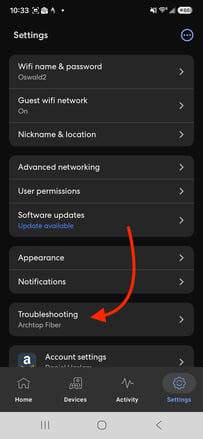
- Tap Settings.
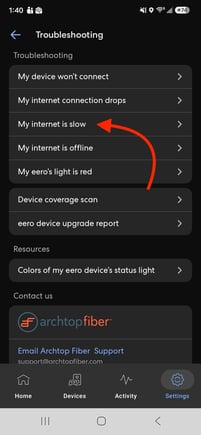
- Select Troubleshooting.
- Tap Slow Speeds.
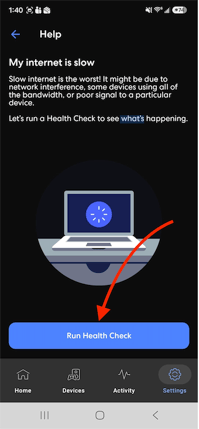
- Run the Health Check and wait for the results
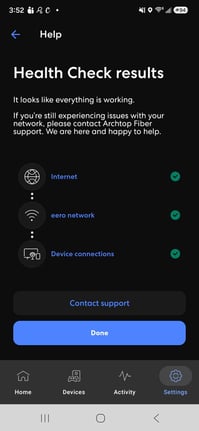
If you notice anything unexpected, please take a screenshot of the Health Check results and email it to support@archtopfiber.com so our team can review them.